Blog
IQOS ILUMA Not Working? Six Compatibility and Charging Checks

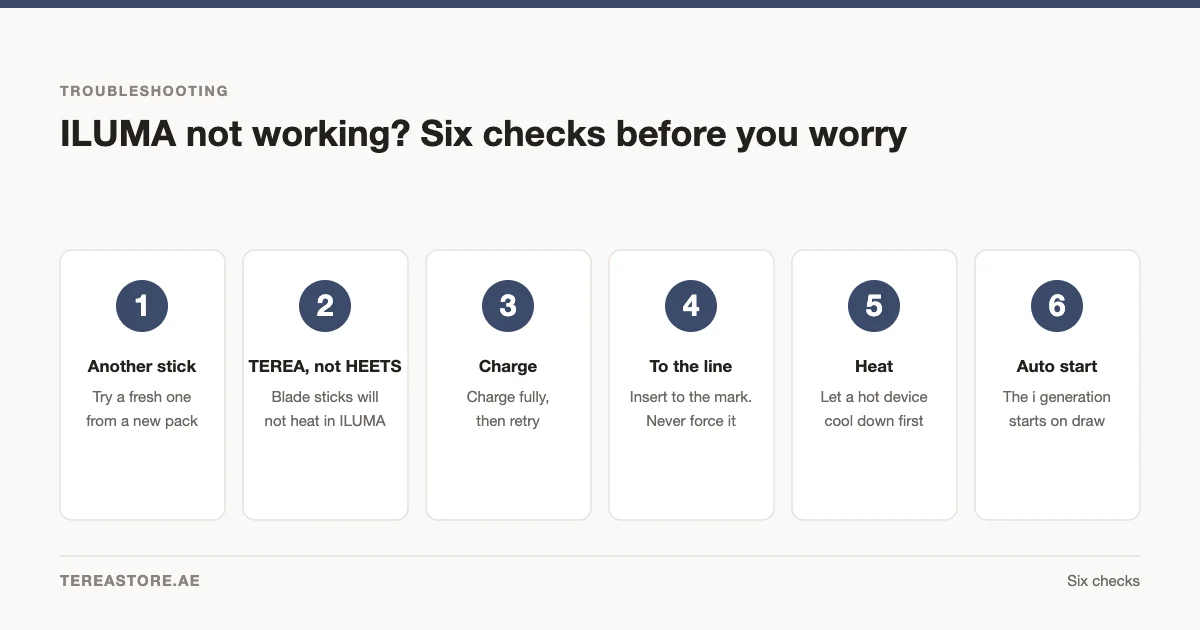
Quick answer: if your IQOS ILUMA is not working, first check the charge state, confirm that the stick says TEREA, insert it to the printed line and read the model-specific light or display indication. Do not force the stick or use an incompatible consumable.
1. Confirm the stick says TEREA
IQOS ILUMA-family devices use TEREA. HEETS and BLENDS belong to different device families. See the compatibility guide.
2. Check the charge state
Connect the device using the supplied charging equipment and follow the model instructions. Charging behaviour differs between the all-in-one i One and holder-and-pocket-charger models.
3. Insert the stick to the printed line
Insert one undamaged TEREA stick straight into the chamber up to its printed line. Do not twist, force or reuse the stick.
If foreign material is visible or you are considering an older cleaning tool, follow the safe ILUMA chamber and charging-port care guide before doing anything inside the device.
4. Read the status indication
White, yellow and red indications can mean different things depending on the model and pattern. Use the supplied instructions and the IQOS ILUMA light guide.
5. Let the device return to normal operating conditions
If the device has been left in a very hot or cold location, move it to a normal indoor environment and follow the manufacturer’s supplied guidance before trying again. Do not apply external heat or attempt to open the device.
6. Restart only as described for the model
Button combinations differ by model. Use the reset procedure in the supplied manual rather than guessing. If the device still does not respond, use the support information provided with the product listing or manufacturer documentation.
What not to do
- Do not insert TEREA into an older blade-based IQOS device.
- Do not insert HEETS or BLENDS into IQOS ILUMA.
- Do not use a damaged cable or force a stick into the chamber.
- Do not treat one error light as proof of a specific fault without checking the model guide.
Replacement and warranty information
Warranty terms can depend on the exact product and supplied documentation. Check the live product page and the documents included with the device rather than relying on a general blog promise.
Identify the exact ILUMA model
Look at the product name on the device packaging or supplied documentation. The all-in-one i One and the holder-and-pocket-charger models do not share every indicator or reset sequence. A troubleshooting step written for another model can create confusion even when both devices use TEREA.
Information to keep when contacting support
- Exact device model and colour
- Order or receipt information
- The light or display pattern
- Whether the device charges
- Confirmation that an undamaged TEREA stick was used
Do not post serial numbers or private order information publicly.
Frequently asked questions
Why will my ILUMA not recognise a stick?
Confirm that it is an undamaged TEREA stick and that it is inserted to the printed line. Then check charge and status indications.
Can I use HEETS to test the device?
No. HEETS is not compatible with IQOS ILUMA.
Where should I check the reset procedure?
Use the supplied manual or official instructions for the exact model.
Adults 21+ only. TEREA contains nicotine, which is addictive.
If the checks point to replacement or a different model, the TereaStore UAE device and support hub shows the current range.

1–2 Hour TEREA Delivery in Dubai and UAE
Get your favorite IQOS TEREA flavors delivered quickly across Dubai. Delivery daily 6 AM – 12 midnight.