
Blog
IQOS ILUMA Light Meanings: Charging, Yellow Lights & Status Signals

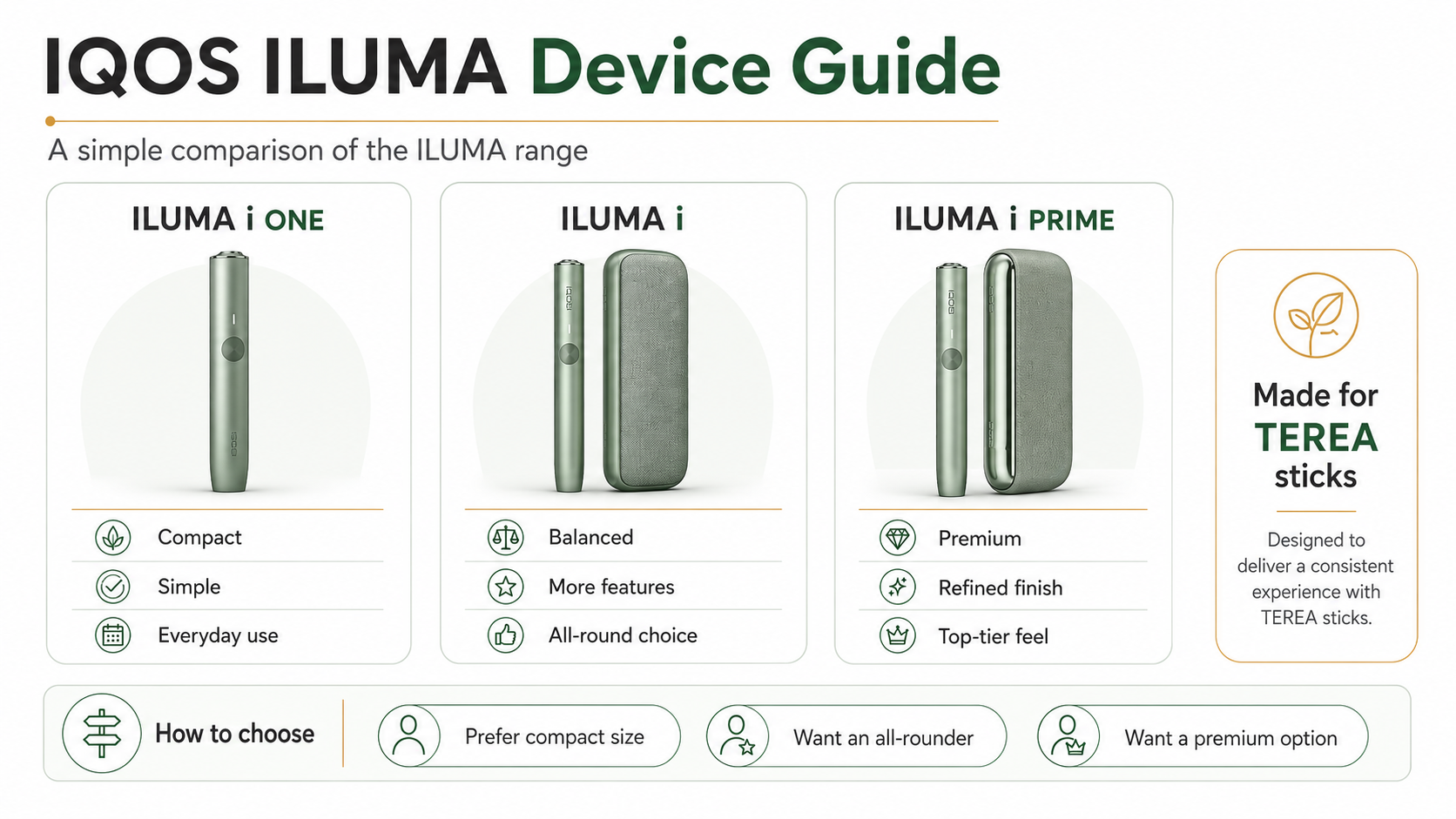
IQOS ILUMA light meanings depend on the exact device model. A holder-and-pocket-charger model uses separate holder lights and a charger status strip, while IQOS ILUMA i adds a touch screen and its own Light Guide. Before troubleshooting, read the model name on the device or box so that you do not apply instructions from ILUMA i ONE, ILUMA i or an earlier ILUMA to the wrong unit.
This guide explains the current signals published for IQOS ILUMA and IQOS ILUMA i in the UAE. It focuses on identification and safe checks—not battery repair. The user guide supplied with your device remains the final instruction for that exact model.
Start by identifying the two sets of lights
On an ILUMA model with a separate holder, there are two different indicators:
- Holder lights show whether the holder is ready for one or two uses, is heating, or needs to return to the pocket charger.
- Pocket-charger lights show the charge held by the case and whether the holder is charging inside it.
IQOS ILUMA i uses the same holder-and-pocket-charger format but adds a touch screen. IQOS ILUMA i ONE is an all-in-one device, so instructions written for two-piece models should not be transferred to it. Compare the current models in the IQOS ILUMA device range before following a model-specific sequence.
IQOS ILUMA holder light meanings
| Holder signal | Meaning on the standard IQOS ILUMA guide | Safe next step |
|---|---|---|
| Two white lights | The holder is charged for two uses. | Insert one new TEREA stick and wait for the ready signal. |
| One white light | One use remains. | Use once, then return the holder to the pocket charger. |
| No holder lights | The holder needs charging. | Remove any used stick and place the holder correctly in the pocket charger. |
| Lower light flashes yellow three times | The holder charge is low. | Recharge the holder in the pocket charger. |
| Lights pulse slowly after inserting TEREA | Pre-heating is in progress. | Wait; do not remove or twist the stick. |
| Lights stay on after the second vibration | The holder is ready to use. | Begin only after the ready vibration and steady light. |
The manufacturer’s current UAE instructions say that one vibration with slowly pulsing lights marks heating, while two vibrations and illuminated light or lights mark readiness. Near the end, the holder gives two more vibrations when approximately 30 seconds or two uses remain. Exact behaviour can vary by model and firmware.
Pocket-charger light meanings
Tap the pocket-charger button once to check its battery. On the standard IQOS ILUMA guide, a yellow signal at the bottom of the status strip flashing three times means the pocket charger is low. Connect it to the manufacturer-approved charging accessories specified for that device.
If the battery is deeply discharged, IQOS UAE says that a visible charging pattern can take up to 20 minutes to appear. That delay alone does not prove that the charger, cable or battery has failed. Leave it connected to a suitable wall power source and check again after the interval in the supplied guide.
Two round pocket-charger lights pulse while the holder is charging inside. One or two solid round lights indicate how many holder uses are available. Make sure the holder is seated correctly and the pocket-charger door closes normally; never force either component.
What the IQOS ILUMA i touch screen shows
On IQOS ILUMA i, the touch screen adds information that is not present on an earlier ILUMA holder:
- The screen shows pre-heating after a compatible stick is inserted and the holder vibrates.
- Two dashes can indicate up to three available uses; one dash can indicate up to two.
- The Light Guide around the screen shows remaining time during an experience.
- Two vertical lines indicate that Pause Mode is available.
- Four vertical lines appear when an experience has been paused correctly.
During pocket-charger charging, the strip lights pulse. IQOS UAE states that a deeply discharged unit may initially blink yellow; above seven percent charge the blinking indication changes from yellow to white. Four solid white strip lights indicate a fully charged pocket charger.
Vibrations are part of the status system
Do not interpret lights without the matching vibration. On the current ILUMA instructions, the first vibration confirms that pre-heating has started, the second confirms readiness, and the later double vibration warns that the experience is nearing its end. Removing the stick during the heating phase can interrupt the sequence.
Only use TEREA sticks with IQOS ILUMA and ILUMA i. BLENDS belongs to IQOS BONDS, while HEETS belongs to older blade devices. A wrong stick cannot be fixed by charging or resetting the device.
Safe checks when no light appears
- Confirm the exact device model and use its supplied cable and compatible adaptor.
- Check that the wall outlet works and that the cable is not damaged.
- Inspect the charging port for visible moisture or loose debris without inserting metal tools or adding liquid.
- For a two-piece model, remove any used stick and reseat the holder in the pocket charger.
- Allow the charging interval stated in the user guide, including the possible delay after deep discharge.
- Power-cycle only by the method stated for that model. On the standard ILUMA and ILUMA i pocket charger, the current UAE guides say to hold the power button for four seconds to turn the device off or on.
If the same warning pattern continues, use the broader IQOS ILUMA troubleshooting checklist and then contact the manufacturer support route for the exact model. Stop using hardware that is damaged, wet, unusually hot or unable to charge normally. Do not open the housing or attempt battery repair.
Quick reference by symptom
Yellow flashes on the holder: recharge the holder in the pocket charger.
Yellow flashes on the charger: connect the pocket charger to a compatible wall power source.
Pulsing white holder lights: pre-heating is underway.
Pulsing round charger lights: the holder is charging inside the case.
No immediate light after deep discharge: the manufacturer says the first charging pattern may take up to 20 minutes to appear.
Unfamiliar red or repeated warning pattern: stop guessing and use the model-specific user guide or support service.
The complete setup sequence is available in the IQOS ILUMA UAE guide. Manufacturer timings and light behaviour in this article were checked against the IQOS UAE ILUMA guide and IQOS UAE ILUMA i guide on 11 September 2026.
TereaStore.ae is an independent retailer and is not affiliated with Philip Morris International. This guide is for adults aged 21 and over and makes no health or cessation claim.

1–2 Hour TEREA Delivery in Dubai and UAE
Get your favorite IQOS TEREA flavors delivered quickly across Dubai. Delivery daily 6 AM – 12 midnight.