Blog
How to Use IQOS BONDS: Setup, Charging, Cleaning & Troubleshooting

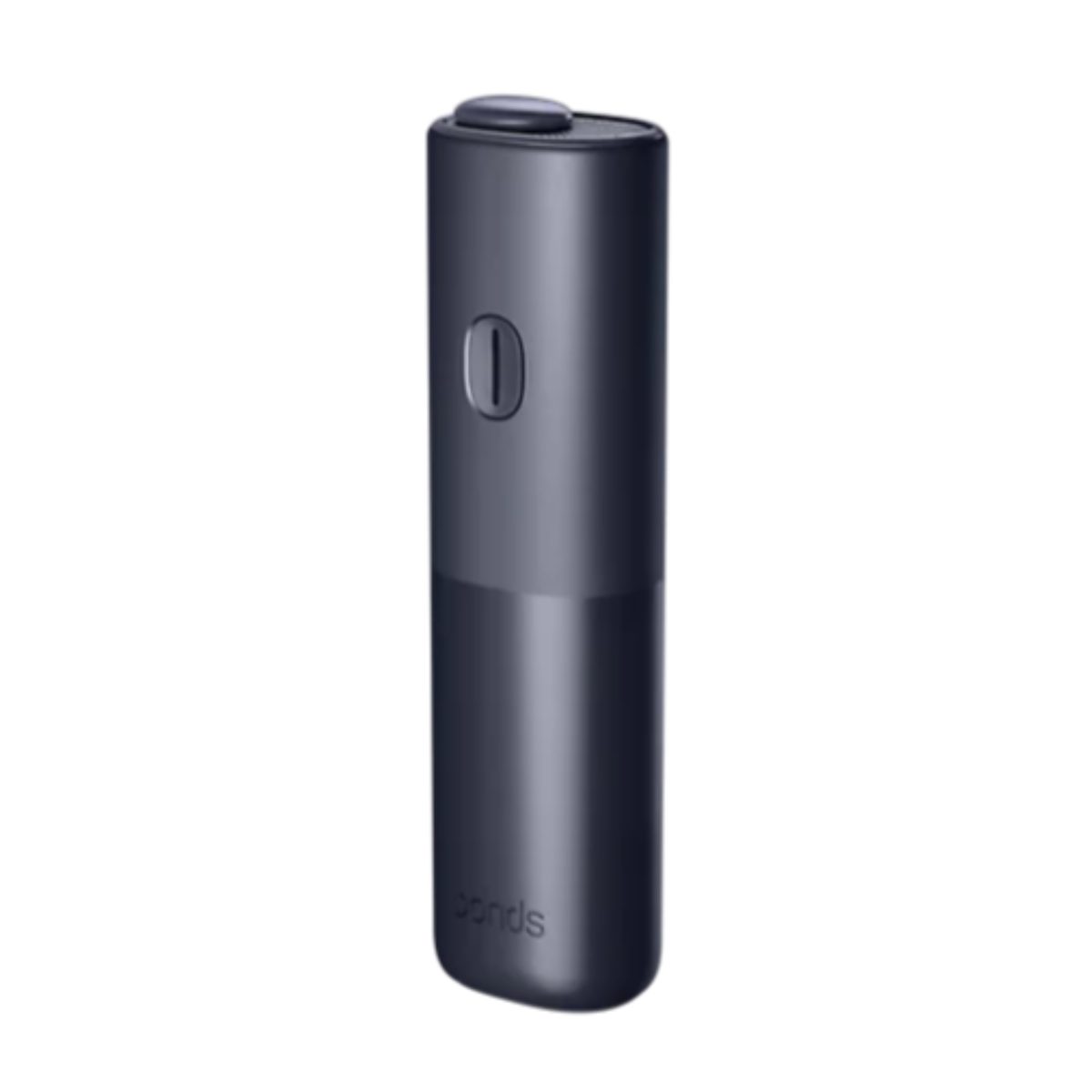
IQOS BONDS is an all-in-one heated-tobacco device made for BLENDS sticks. The most important first step is identifying the exact model printed on your device or retail box: manufacturer instructions can differ between BONDS and BONDS 2, especially for charging time, light patterns and the number of uses on a full charge.
This guide separates the steps that apply across the BONDS family from details that the manufacturer currently publishes specifically for BONDS 2 in the UAE. Keep the user guide supplied with your device as the final reference for your exact model.
Before using IQOS BONDS
- Check the model name. Look near the charging port, on the box or in the supplied user guide. Do not assume that instructions for BONDS 2 are identical to an earlier BONDS device.
- Use the correct sticks. BONDS uses BLENDS sticks. TEREA belongs to IQOS ILUMA, while HEETS belongs to older blade devices. The systems are not interchangeable.
- Inspect the device and cable. Do not use a damaged device, cable or adaptor. Keep the charging port and device dry.
- Read the safety instructions. The document included in the box contains the warnings and specifications for that exact unit.
If you are unsure which stick belongs to which device, use the TEREA, BLENDS and HEETS compatibility table before inserting anything.
How to start a BONDS session
The core sequence is simple: charge the device, insert the correct BLENDS stick with the filter pointing outward, start pre-heating and wait for the ready signal. Never force a stick into the chamber.
For BONDS 2, the current IQOS UAE instructions say to insert the ROUNDHEAT stick up to the printed line. Press and hold the button to begin pre-heating. The first vibration indicates that heating has started; wait for the second vibration and fixed light before use. The manufacturer lists approximately 30 seconds for pre-heating and up to five minutes for an experience on this model.
When the lights turn off, the experience has ended. Remove the stick without twisting or forcing it, and allow the device to cool. If your unit is labelled BONDS rather than BONDS 2, follow the timing and light pattern printed in its own user guide.
Charging IQOS BONDS correctly
Use the charging cable supplied or approved for your device and a compatible, safety-certified wall adaptor. Do not guess charging specifications from another IQOS model.
For BONDS 2, IQOS UAE specifies a 5 V, 2 A, 10 W adaptor and about 120 minutes for a full charge. Its support page advises using a wall socket rather than a laptop or power bank. During charging, one white light flashes while the other illuminated lights remain solid. At full charge, all white lights stay on briefly and then fade.
A charge taking materially longer than the time in your model’s guide can indicate an incompatible adaptor, a cable problem or debris in the USB port. Disconnect the device before checking the port and never insert metal tools or apply liquid.
Cleaning and everyday care
BONDS uses the blade-free ROUNDHEAT system, so there is no heating blade to scrape. It should not be cleaned like an older IQOS 3 DUO holder.
- Let the device cool before inspecting it.
- Keep the chamber and charging port dry.
- Do not add liquid, cleaning chemicals or compressed air.
- Do not insert sharp or metal objects into the chamber or USB port.
- Remove only loose visible debris in the manner permitted by the user guide for your exact model.
- Keep the venting area unobstructed during use.
If a stick breaks inside the chamber or material cannot be removed without force, stop and use manufacturer support rather than digging into the device.
Common BONDS problems and safe checks
| What you notice | What to check |
|---|---|
| No lights or vibration | Connect the device to a compatible wall charger, check the cable and dry charging port, then use the power-on method in the model’s guide. For BONDS 2, the manufacturer says to hold the button for four seconds. |
| The device vibrated once but is not ready | The first vibration can mean pre-heating has started. For BONDS 2, wait for the second vibration and fixed light before use. |
| A stick does not heat | Confirm that it is BLENDS, not TEREA or HEETS; insert it only to the printed line; check the battery; and allow the device to cool. |
| Lights ramp up and down | On BONDS 2 this can indicate cool-down mode. IQOS UAE says the device may need about four minutes to cool after three consecutive experiences. |
| Charging is unusually slow | Use a compatible wall adaptor and cable and check that the USB port is clean and dry. Follow the electrical rating in the supplied guide. |
| The stick is difficult to insert | Do not force or twist it. Verify the stick family, filter direction and chamber condition after the device has cooled. |
When to stop troubleshooting
Stop using and disconnect the device if it is damaged, unusually hot, wet, leaking, producing an unfamiliar warning pattern or repeatedly failing after the basic checks above. Do not open the housing or attempt a battery repair. Use the support route supplied for your model.
The manufacturer’s current UAE instructions and downloadable documentation are available on the IQOS UAE BONDS support page.
Choosing the correct BONDS and BLENDS listings
TereaStore currently groups the IQOS BONDS range into BONDS devices and compatible BLENDS cartons. The separate BONDS compatibility and carton guide explains the catalogue terminology, while the dated price guide records current device and carton units.
Quick answers
TEREA compatibility
No. TEREA is made for IQOS ILUMA and ILUMA i. BONDS uses BLENDS sticks.
HEETS compatibility
No. HEETS requires an older blade device and should not be inserted into BONDS.
Tight BLENDS stick insertion
No. Stop, confirm the stick and filter direction, and inspect the chamber only after the device has cooled.
BONDS and BONDS 2 charging signals
Do not assume they do. Follow the model name and supplied guide. The exact timings and light patterns above are labelled where they come from the current BONDS 2 support page.
Manufacturer safety instructions
No. The safety document supplied with the device remains the primary instruction for that exact model.
Source note: Exact BONDS 2 timings and light behaviour were checked against IQOS UAE on 11 September 2026. Compatibility and catalogue links reflect TereaStore’s current BONDS and BLENDS structure.
TereaStore.ae is an independent retailer and is not affiliated with Philip Morris International. This article is for adults aged 21 and over and provides product-identification and operating information; it makes no health or cessation claim.

1–2 Hour TEREA Delivery in Dubai and UAE
Get your favorite IQOS TEREA flavors delivered quickly across Dubai. Delivery daily 6 AM – 12 midnight.